



 UPDATES

Double Up Card & MyFresh Wallet App
Access all your Double Up Food Bucks information in one place and on the go!



What is Double Up’s myFresh Wallet App?
If you use the Double Up Card, the myFresh Wallet App is an easy way to access your Double Up Card information right on your phone. Track your balance, see your transaction history, get Double Up-dates, and more!
If you don’t have a Double Up Card yet, visit a participating location that accepts Double Up Cards, and the store/market staff can help you get started.
Don’t use the Double Up Card? You can still use the myFresh Wallet app to find Double Up locations and get updates from our team.
Download the Double Up App
Have a Bridge Card and use a Double Up Card? Access all your Double Up information in one place and on the go with Double Up's MyFresh Wallet app.
How do I get started with the myFresh Wallet App?
After signing up for a Double Up Card at a participating site, look for a welcome text to finish your account setup and follow the prompts. From here, you can download the myFresh Wallet App to track your balance, see your transaction history, and get Double Up-dates.
Didn't get a welcome text? Download the app to get started.
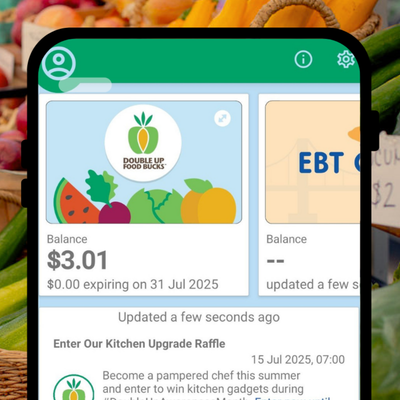
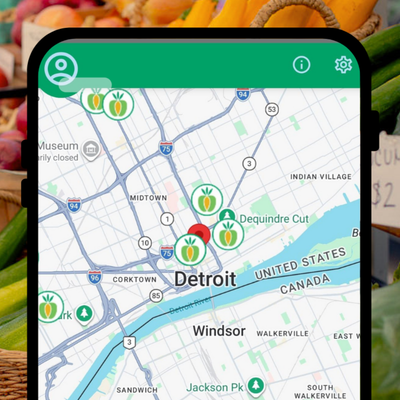

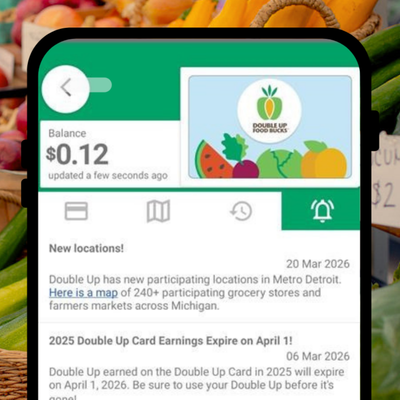
Already have the myFresh Wallet App, but still need a Double Up Card? Visit a participating location that accepts Double Up Cards and store/market staff can issue you a card.
Need help linking your Double Up account to the myFresh Wallet App?
If you did not receive a welcome text at sign-up or need more help getting started, call the Double Up team at 866-586-2796 and we can help update your account.
Stay in the loop!
More great app features are coming. To be the first to hear when they're available, or to learn when myFresh Wallet expands to more locations, sign up for our newsletter.
